Give your CSM access to Google Merchant Center
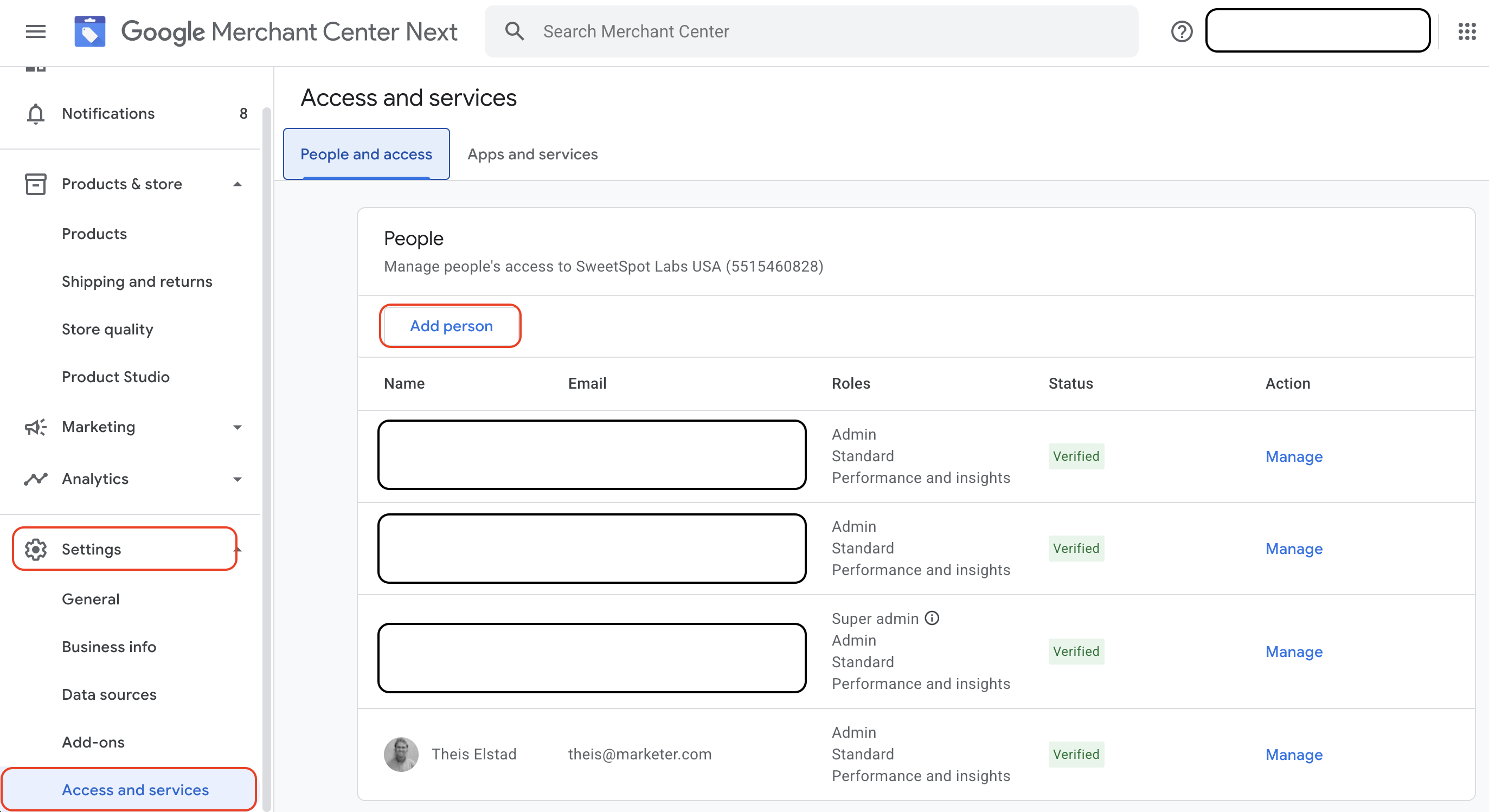
- Log in to your Google Merchant Center
- Navigate to Settings > Access and services
- Click Add person
- Enter the email of your CSM
- Select Admin as the access type
Click Save


Click Save
